Privacy-First Architecture
graph LR
    subgraph Cloud [External Cloud]
        User((User)) -- "Upload txt" --> Drive[Google Drive]
        Drive -- "File Created Trigger" --> n8n
        n8n -- "Send HTML Email" --> Gmail[Gmail]
        Gmail -- "Report" --> User
    end

    subgraph Local [Secure Local Network]
        n8n[n8n Workflow Engine] -- "Raw Text" --> Pre[Data Pre-processing]
        Pre -- "Recent Context" --> Agent[AI Agent]
        Agent -- "Prompt" --> Ollama["
🦙 Ollama Server
(Breeze-7B-Instruct)"]
        Ollama -- "Summary & Action Items" --> Agent
        Agent -- "HTML Output" --> n8n
    end

    style Local fill:#0f172a,stroke:#10b981,stroke-width:2px,color:#fff
    style Cloud fill:#1e293b,stroke:#3b82f6,stroke-dasharray: 5 5,color:#cbd5e1
    style Ollama fill:#10b981,color:#000
Data Flow Diagram: 敏感資料處理完全限制在 Local 區域內,僅最終結果透過 Gmail 發送。
為什麼選擇此架構?
- 零雲端洩漏: 原始對話紀錄不會傳送給 OpenAI 或 Claude,避免商業機密外洩。
- 成本可控: 使用地端運算資源,無 API 呼叫費用。
- 高度客製: 可替換任何 Ollama 支援的模型 (Llama3, Mistral, Breeze-7B)。
Project Gallery
1. Raw Input (.txt)
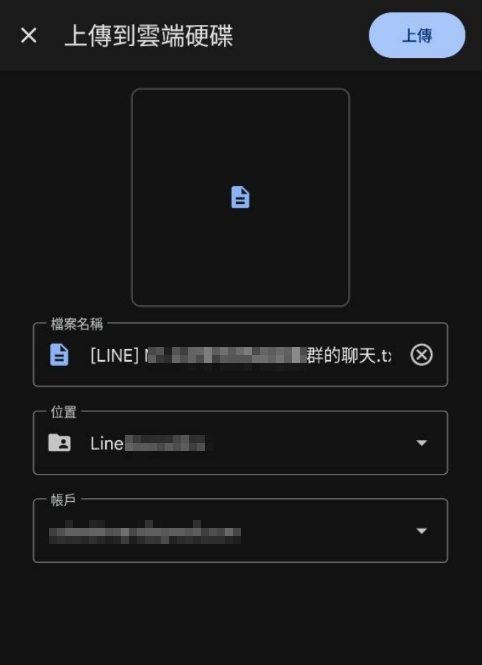
未經處理的 Line 對話紀錄純文字檔。
2. n8n Workflow
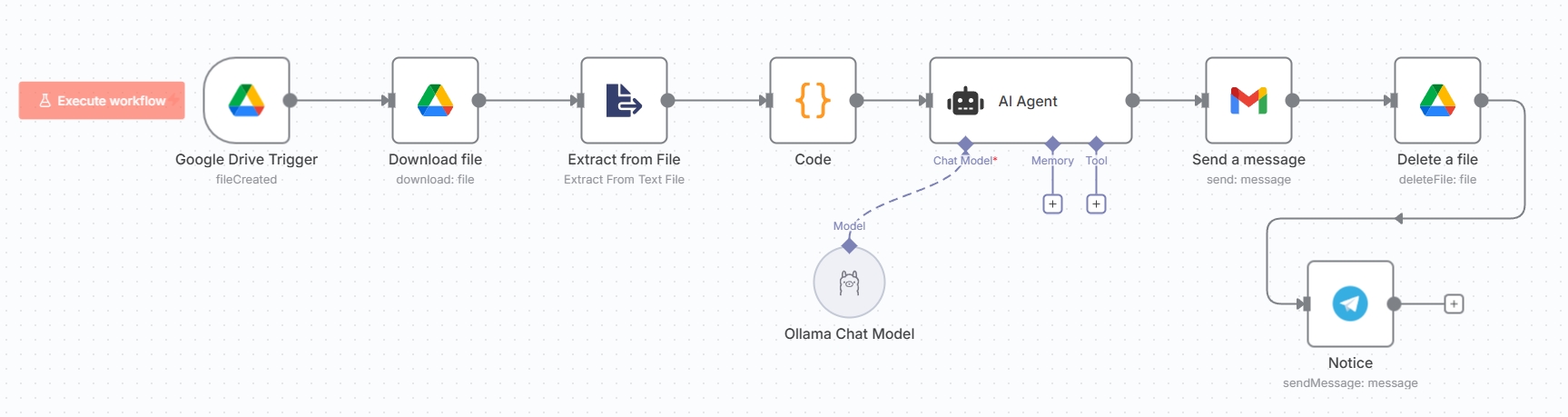
自動化流程圖:監控、下載、AI 分析、發送。
3. HTML Output
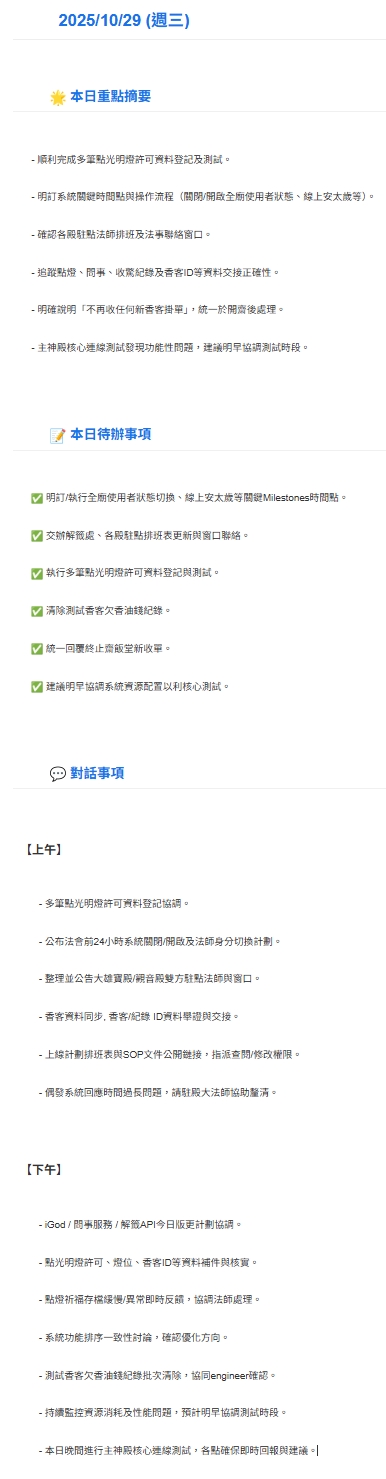
AI 生成的結構化 HTML 日報郵件。
Developer Implementation Guide
以下是構建此工作流的技術細節步驟。
首先確保本地環境已安裝 Ollama 並且模型正在運行。
# 1. 下載並安裝 Ollama (https://ollama.com)

# 2. 拉取繁體中文優化模型 (MediaTek Breeze-7B)
ollama pull ycchen/breeze-7b-instruct-v1_0

# 3. 測試運行
ollama run ycchen/breeze-7b-instruct-v1_0 "你好,請自我介紹"
Tip: 若 n8n 跑在 Docker
中,需確保能存取宿主機的
http://host.docker.internal:11434。
核心節點配置邏輯:
- Google Drive Trigger: 事件設為
File Created,指定監控資料夾。 - Code Node: 用於預處理純文字,篩選近 3 日對話,減少 Token 使用量。
- AI Agent:
- Model 輸入連接 Ollama Chat Model 節點。
- Prompt 設定角色為「專案經理」,要求輸出 HTML 格式。
Tech Stack Comparison
| Feature | Local AI (此方案) | Cloud AI (OpenAI API) |
|---|---|---|
| Privacy | High (Air-gapped capable) | Medium (Data leaves premises) |
| Cost | Fixed (Your Hardware) | Variable (Per Token) |
| Latency | Dependent on GPU (e.g. RTX 3060+) | Dependent on API Traffic |